
How to turn product photos into video ads with an AI product video generator
Turn product photos into video ads with an AI product video generator. Real costs, a 7-step workflow, and a week-1 testing plan. Start free with 50 credits.

Your campaign goes live on Monday. The agency quote comes back at $18,000 with a three-week window, and the launch waits on the cut. Meanwhile, the Q3 paid social budget bleeds because the last ad set is cycling on a creative that is already 47 days old. This is the bottleneck - the production layer, not the media layer, is slowing the calendar - and an AI product video generator is the shortest path back.
The fix is not a faster agency. It is a workflow that collapses pre-production, render, and platform reframing into a single afternoon session. Bambuser's 2026 ecommerce production cost guide pegs traditional cinematic production anywhere from under $500 for raw UGC to $50,000+ for brand films, on timelines that push launches back by weeks. An AI product video generator collapses that into a few hours of prompt iteration - the bottleneck shifts from production logistics to creative judgment.
What you can ship in one afternoon
By the end of a single afternoon, a DTC founder or growth lead can hold a campaign-ready cinematic product video in hand - on-brand visuals, motion graphics, voiceover, and platform-specific cuts sized for every channel they actually advertise on. Not a storyboard. A finished asset ready to upload.
The deliverable
The output is a 15-30 second hero video plus 3-5 derivative cuts: a 9:16 vertical for TikTok and Reels, a 1:1 square for Meta feed, a 16:9 horizontal for YouTube pre-roll, and a 4:5 portrait for product detail pages. Each cut shares the same visual language but is reframed and re-captioned for the platform's native viewing behavior.
Where it runs
The same Screenplay renders into Meta Advantage+ creative sets, TikTok Spark Ads, YouTube in-feed, LinkedIn sponsored content, and on-site PDP hero slots. Shoppers are 144% more likely to add a product to cart after watching a product video, so the asset pulls double duty: paid acquisition and on-site conversion lift. Format choice compounds the effect: e-commerce ad-creative data puts video ads at 20-40% higher conversion rates than static images for products that need demonstration, and retailers adopting AI-generated product visuals report conversion lifts above 40% with 25-40% fewer returns because shoppers see exactly what arrives.
This is exactly the problem Gridvid's Screenplay pipeline was built to solve - one prompt produces a campaign-ready cinematic ad, then the Director Canvas editor reframes and re-renders for every channel in the same session.
What to gather before you open the AI product video generator
Most growth teams lose two to three render cycles not because the AI video advertising platform failed, but because the inputs feeding it were incomplete. The input package needs to match the output ambition: a campaign-ready cinematic ad that holds up next to a $5,000 studio shoot rather than a generic stock-feeling cut.
Product photography and lifestyle stills
The AI needs at least 6-10 reference images per SKU: a clean hero shot on white, a 45-degree angle, a back view, and two to three lifestyle contexts that match the buyer's actual use case. Mobile-phone product pages can still feed the system, but pixel resolution under 1500 on the long edge drops quality on TikTok's 9:16 canvas. Brands investing in catalog-grade photography typically see UGC-style video ads outperform studio product shots by 35-50% on conversion rate, according to Finsi's 2026 UGC ads performance benchmarks, which is why even AI-generated cuts need a strong photographic base to remix.
Brand identity and copy bank
Pull the logo in SVG or high-res PNG with transparent background, the brand hex codes, the approved typeface pair, and a short voice-and-tone reference. Pre-write the headline, the 15-word value prop, and the offer hook, because the prompt interface cannot infer positioning from the product page alone. Pre-written copy also keeps the AI variants on-message across every cut the pipeline produces, which protects click-to-trial rate on the eventual landing destination.
Platform accounts and ad pixel access
Connect Meta Ads Manager, TikTok Business Center, and the e-commerce backend (Shopify, WooCommerce, or Amazon Seller Central) before the first export. Pixel data gives the targeting layer a feedback loop that generic renders cannot access.
Step 1: Curate product photos that already sell
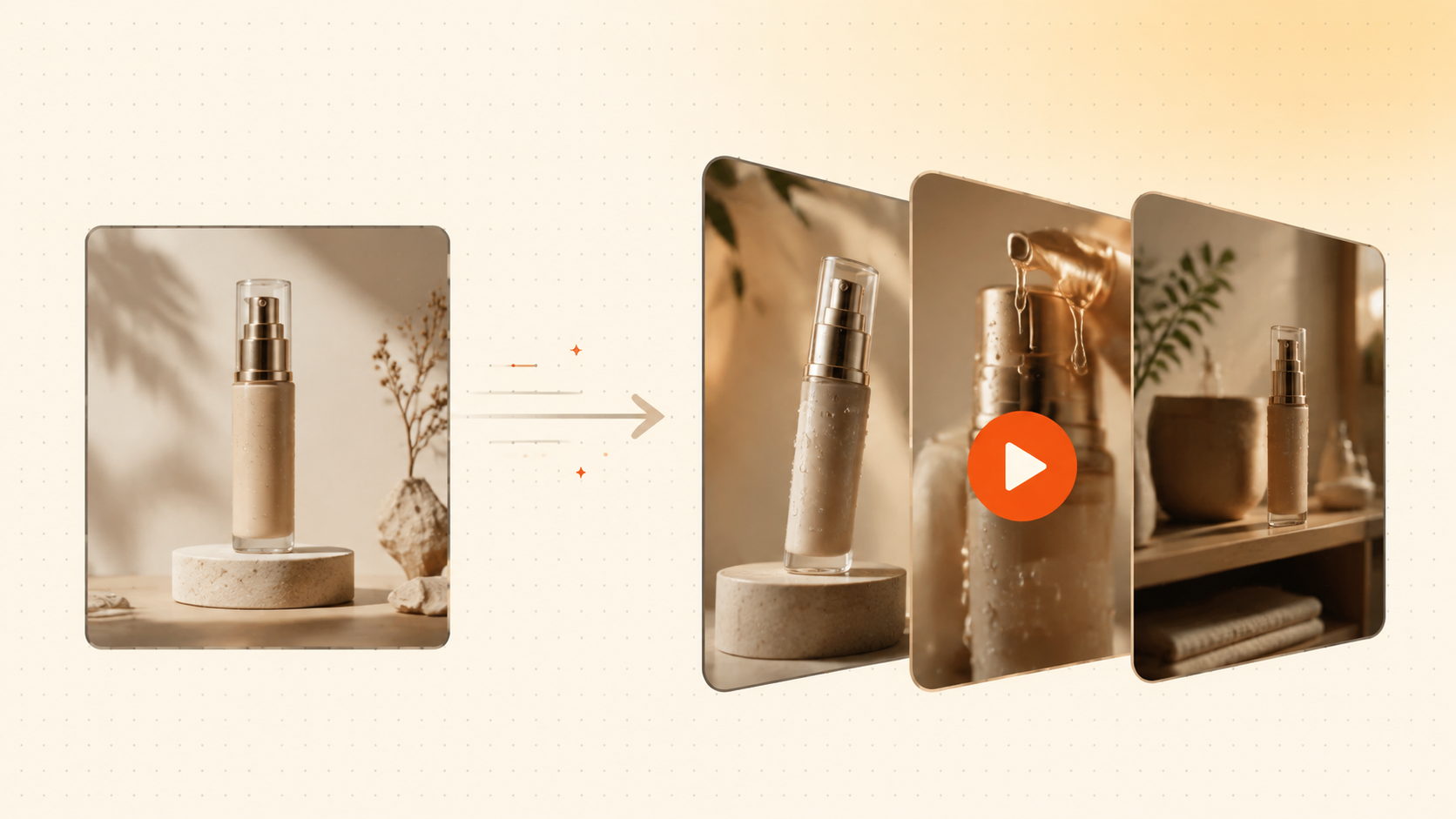
Most direct-to-consumer and SaaS PMM teams sit on dozens of product photos that have been quietly selling on PDPs, in email flows, and across retargeting decks. The discipline: pick 3 to 8 shots and assign each one a specific job inside the generated video.
The hero shot anchors the opening frame
Every ad needs one image that earns the first three seconds of attention. This is the cleanest, most photogenic view of the product - usually a front-on or three-quarter angle on a neutral background, shot at high resolution. The hero shot becomes the visual thesis: if a viewer only sees one frame, this is the one. A sharp, isolated product frame gives the Director Canvas editor a stable reference for camera motion and zoom choreography. (For the full seven-agent pipeline behind that render, see the AI video production workflow breakdown.)
Detail shots sell the texture and the proof
Detail shots are the close-ups - the macro of stitching, the screen UI, the cap mechanism, the ingredient label. Two or three detail frames across the middle beats of the ad do more for credibility than any voiceover claim because they answer the unspoken "but does it actually look like that?" question that decides whether a viewer clicks through to trial.
Lifestyle shots provide context and aspiration
Lifestyle imagery places the product in a setting that signals who it is for: the kitchen counter at golden hour, the gym bag mid-workout, the desk in a co-working space. These shots carry the aspirational weight the hero shot deliberately strips away - the same pattern behind Gridvid's e-commerce use cases. One or two lifestyle frames in the back half give the viewer a reason to imagine ownership - the cognitive step that precedes the click. The trap: loading the input set with lifestyle shots alone makes the AI generate a video about a vibe rather than a product.
Packaging shots close on trust and recall
Packaging photography - the box, the label, the unboxing moment - functions as the closing argument. For e-commerce and beauty brands especially, the package is what arrives at the door, and showing it shrinks the gap between ad and reality. A single packaging frame at the final beat doubles as a brand-recall anchor, since viewers are far more likely to search for a name they have seen printed clearly.
Step 2: Write a tight script and pick a format
The 15-30 second hook-benefit-CTA script formula
A 15-30 second script is the smallest unit that survives the auction. The hook lands in the first 3 seconds - a pattern interrupt, a bold claim, or a visual surprise that stops the scroll. The benefit lands in seconds 4-20, framed as one specific outcome for one specific ICP persona. The CTA closes the final 5-10 seconds with a single verb and a clear next step. Product marketing teams running paid social know that Meta's average video ad CTR of 1.62% is the bar to beat, and that bar drops sharply if the first 3 seconds do not earn the next 17.
A 25-second video is not 50 words read aloud - it is a 3-second visual hook, a 15-second proof moment, and a 5-second close, and the AI product video generator maps each beat to a distinct scene only when each beat carries its own shot, on-screen text, and audio cue.
Matching aspect ratio to platform
For Meta feed and Reels, 9:16 vertical at 1080x1920 is the dominant format. For TikTok, 9:16 vertical is essentially mandatory. For YouTube, 16:9 landscape or 1:1 square both work depending on placement. The wrong aspect ratio is one of the fastest ways to burn budget - a horizontal video uploaded to a 9:16 placement gets letterboxed, cropped, or ignored by the algorithm. TikTok CPM fell 28.48% YoY to $4.08, but that efficiency advantage evaporates the moment the creative is mis-sized for the placement.
Step 3: Generate the ad inside the AI product video generator
Uploading source imagery into the workspace
The first action inside Gridvid's workspace is asset upload. Product marketing teams drag product photography, lifestyle shots, or flat-lay images directly into the Director Canvas editor, where each file becomes a scene-ready layer. The platform accepts JPG, PNG, and WebP up to 4K resolution, and the upload queue processes files in parallel so a 12-image drop typically resolves in under 30 seconds.
Pasting the script into the Screenplay pipeline
With assets staged, the next step is the script. Inside Gridvid's Screenplay pipeline, product marketing leads paste their hook, problem statement, feature callout, and CTA directly into a structured prompt field. The pipeline parses the input into discrete beats - opening frame, mid-roll proof, closing CTA - and assigns each beat to a scene slot. Teams that already run a tested script in their static ads can drop the same copy in verbatim; Gridvid's AI agents produce variants from a single Screenplay prompt, so the same 90-word script can yield 6 to 10 distinct cuts without rewriting a single line.
Choosing a visual style and model
The style picker sits adjacent to the Screenplay field and exposes the aggregated model layer - Veo, Runway, Kling, Sora, and Seedance for motion; Flux, Seedream, and Ideogram for stills; ElevenLabs for audio; Gemini Pro for orchestration. PMMs select a preset such as "UGC unboxing," "cinematic lifestyle," or "tech demo," then fine-tune camera motion, aspect ratio, and pacing inside the Director Canvas. Scene-level control means every transition, zoom, and color grade is editable frame-by-frame before render, so
Rendering the first cut
Render initiation is a single button click, and the queue returns the first cut in roughly 90 to 180 seconds depending on scene count and resolution. The output lands in the preview pane at 1080p by default, with 4K upscaling available on Pro and Studio tiers. At Gridvid, we have seen product marketing teams ship their first campaign-ready cut in under 12 minutes from login.
Step 4: Edit, brand, and export platform-ready cuts
Trim the runtime to the platform's attention window
Paid social rewards ads that earn the next second, with Meta and TikTok weighting the first three seconds most heavily. VideoAdsTop's 2026 platform CTR benchmarks show Meta averaging a 1.62% CTR while TikTok sits at 0.84% - every wasted second costs measurable reach. Gridvid's Director Canvas editor exposes a frame-accurate timeline so product marketing teams can strip dead air, tighten transitions, and lock runtime to 15, 30, or 45 seconds without re-rendering the cinematic sequence.
Brand the cut with logo and end card
The next pass is brand overlay - a persistent logo bug, a brand-color safe zone, and a 2-second end card with the offer or CTA. Gridvid's Director Canvas editor handles logo placement, brand-color tinting, and end-card composition in the same timeline view, so the brand layer lives as a separate track rather than getting baked into the AI-generated footage.
Add captions for sound-off scrollers
Roughly 80% of TikTok and Reels impressions are watched with audio off, which makes captions non-negotiable. The track must match voiceover cadence, surface the value proposition in the first line, and stay inside the platform's safe zone. Gridvid's Director Canvas editor auto-generates timed captions from the Screenplay prompt and lets teams restyle font, color, and positioning per placement.
Export every aspect ratio in one pass
The export step is where most workflows break: a 9:16 master for TikTok and Reels, a 1:1 cut for Meta feed, a 16:9 for YouTube, and a 4:5 for in-stream placements. Gridvid's Director Canvas editor renders all four aspect ratios from the same project file, with the AI agents re-framing scene composition so the focal point stays centered in every crop.

What an AI product video generator actually costs
The honest way to evaluate the switch is per-asset math, not subscription prices. Traditional product video production in 2026 runs from a few thousand dollars for a simple business video to $50,000+ for polished brand campaigns, according to Visla's 2026 production cost guide, and even modest ecommerce shoots on Firework's cost breakdown price studio days at $500-$2,000 and on-location days at $1,000-$5,000 before edits and reshoots.
Traditional production vs AI generation, per video
Assumptions stated so the math can be checked: a 30-second product ad, agency midpoint $3,000 per finished cut (range $1,000-$5,000+), a 10-SKU catalog campaign, and Gridvid credit math of 10 credits per full video with the 50-credit free trial covering 5 complete product videos.
| Cost line | Traditional production | AI product video generator |
|---|---|---|
| Production cost per 30s cut | $1,000-$5,000+ | $0 on the free trial, then credits |
| Turnaround per cut | 2-3 weeks | Render in 90-180 seconds, edit same session |
| Variants per concept | 1 master, re-edits billed | 6-10 variants from one script |
| Aspect reframes | Re-shoot or re-edit per ratio | 4 ratios from the same project file |
| 10-video catalog campaign | $10,000-$50,000 | First 5 videos free, remainder on credits |
The catalog framing is the one that changes budgets: the first five videos cost nothing, which means a brand can A/B five completely different creative angles before a single paid dollar moves.
How the tools compare on price
| Platform | Free tier | Entry paid plan | Strength |
|---|---|---|---|
| Creatify | ~10 credits, watermarked | $39/mo, 100 credits | URL-to-ad UGC formats |
| HeyGen | 3 videos/mo, 720p watermarked | $29/mo Creator | Avatar-led talking-head video |
| Traditional agency | None | $1,000-$5,000+ per video | Full custom production control |
| Gridvid | 50 credits (5 full videos) | Lite $9/mo | Cinematic multi-model ads + Director Canvas scene control |
Pricing tracked from Nurosparx's August 2026 tool comparison and Arcade's HeyGen pricing analysis. Template-first tools win on speed to a draft; Gridvid wins when the draft has to look cinematic and survive scene-level editing before launch. For a deeper per-tool credit breakdown, the free AI ad video generators comparison covers seven tools with real costs.
Mistakes that quietly drain your ad budget
A generic AI render is not a discount on a studio shoot. It is a different product - one whose auction performance is decided by hook pacing, aspect ratio, and captions long before any audience targeting kicks in.
Aspect ratio mismatch kills reach before the click
Most product marketing teams cut a 16:9 hero video and upload it to TikTok or Reels with black bars. The algorithm treats letterboxed creative as low-quality and throttles distribution, which means the same CPM buys a fraction of the impressions. According to Triple Whale's TikTok Ads Benchmarks, TikTok CPM fell to $4.08 in 2026 while Meta sits at $15.06 - so wasting even 30% of that reach on a wrong-format cut is a real budget leak.
The first 1.5 seconds decide whether the rest exists
A weak hook - logo intro, slow pan, "Hi, we're X" - burns the only window where view-through rate is decided. On Meta, where average CTR sits at 1.62% per VideoAdsTop's platform benchmarks, a generic opening can halve click intent before the value proposition lands. Growth leads who front-load the offer and product payoff inside the first second consistently see stronger click-to-trial rate on the same spend.
Generic AI voiceover signals stock creative
A flat, default-tts voice reads as filler and trains the audience to ignore the ad. The fix is voice cloning or per-locale casting, not louder background music - the audience needs to hear a person, not a synthesizer.

Your week-one launch plan, day by day
A seven-day plan turns the workflow into a repeatable system - the same testing discipline as the complete beginner guide to making video ads with AI, compressed into a launch week. Budget assumption for the test: $20 per day per ad set, which is enough signal volume on TikTok's $9.16 average CPM and $1.00 CPC to read results inside 48 hours.
| Day | Action | Target to hit |
|---|---|---|
| 1 | Curate 6-8 product photos, write the hook-benefit-CTA script, generate 4 variants | First 3 cuts rendered |
| 2 | Launch 2 hook variants on TikTok 9:16 | CTR at or above the 0.84% benchmark |
| 3 | Kill the losing hook, keep the winner running | Spend concentrated on the survivor |
| 4 | Cut the winner to 1:1 and 4:5, launch on Meta feed | CTR at or above the 1.62% Meta benchmark |
| 5 | Check e-commerce conversion rate against the 0.46% average | Landing page or PDP wired to pixel data |
| 6 | Generate 3 new variants from the winning hook | Fresh creative ready before fatigue |
| 7 | Read the week: CPA, CTR, thumb-stop rate; queue week 2 | A documented winner and a next test |
E-commerce conversion averages sit near 0.46% on TikTok, so a product video that doubles that on $140 of spend has earned a bigger budget - not the other way around.
Launch-day playbook: the first 6 hours with an AI product video generator
The week-1 plan above spreads the work across seven days. When the launch cannot wait - a drop, a seasonal window, a competitor beat you to a hook - compress the same system into a single day. The hour-by-hour version below assumes one person, the 10-credit cinematic pipeline, and a photo library that is already culled.
- Hour 1 - Cull and sequence the photography. Pick the 3-5 photos with the clearest single product and the least background noise; sequence them so the story arcs from problem to product to payoff, because conversion-rate context matters more than raw traffic when every impression is paid for.
- Hour 2 - Draft the hero script. Write the 15-second script around one benefit, one proof point, and one CTA; keep the total under 40 spoken words so pacing survives platform compression.
- Hour 3 - Generate the first cut. Run the cinematic pipeline on the hero photo; 10 credits buys one full 15-20 second render, so the 50-credit monthly allowance covers this cut plus four more test variants.
- Hour 4 - Cut platform versions. Export 16:9 for YouTube pre-roll, 9:16 for TikTok and Reels, and 1:1 for feed placements without reshooting anything - reframing is a render decision, not a production decision.
- Hour 5 - Music, captions, and thumbnail. Add platform-fit music and burned-in captions (most feed impressions play muted), then export a still for the thumbnail that matches the hook frame.
- Hour 6 - Launch and log. Publish the 9:16 cut first (fastest feedback loop), log the ad ID, spend, and hook in the tracking sheet, and queue the 16:9 and 1:1 versions for the next morning.
Where to go from here
AI A/B testing for video ads explains the kill/scale logic in depth. And when the next catalog drop needs its own batch of creative, one prompt becomes a campaign-ready cinematic ad with scene-level control, tight enough to ship weekly.
Turn your product photos into your next batch of winning ads
Upload a photo, review a 50-credit monthly allowance (five full 10-credit cinematic demos or ten fast drafts), and ship the first cut before your coffee cools.
Sign up free →AI product video generator, ready in minutes.
Share


